

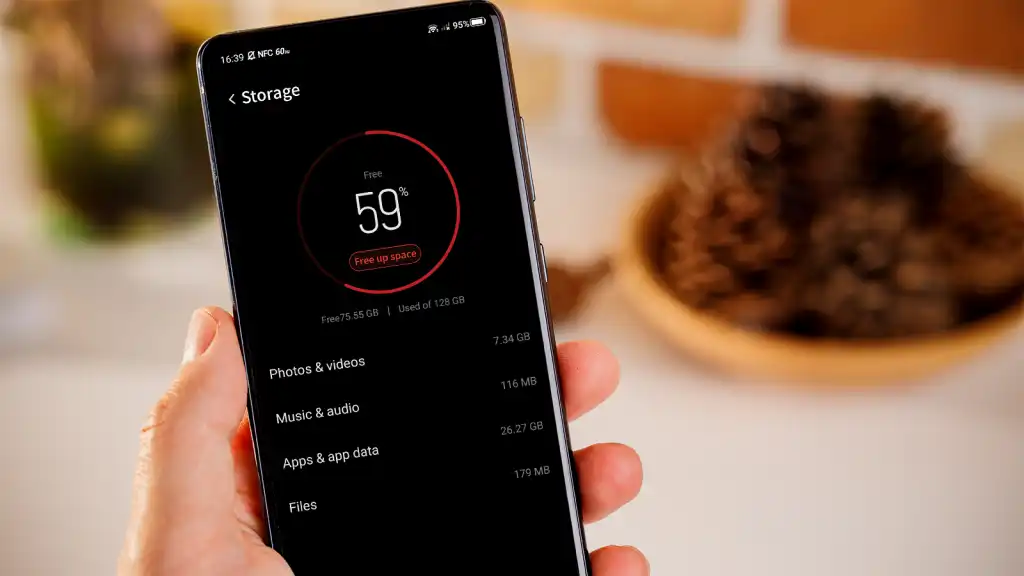
Smartphones have become more than just communication tools; they are hubs for multimedia, apps, and digital content. As such, users are increasingly facing challenges with storage limitations. With high-resolution photos, 4K videos, and ever-growing app sizes, managing storage efficiently is essential for maintaining optimal device performance and a smooth user experience. Without proper management, your smartphone can slow down, apps may crash, and you might be forced to delete important files. Understanding how to make the most of your smartphone’s storage capacity is the first step to avoiding these frustrations.
Effective Strategies to Free Up Smartphone Storage
The first and easiest step to free up space is to delete unused files and apps. Many of us have apps we downloaded on a whim but no longer use. These apps, alongside files like old downloads, accumulated over time, can take up significant space. By reviewing your installed apps regularly and removing those you no longer need, you can instantly free up storage. Additionally, using built-in tools like Android’s “Storage Manager” or iOS’s “Offload Unused Apps” can help streamline this process. These tools automatically remove lesser-used apps while retaining important data, ensuring you don’t lose anything critical. Another common culprit that consumes storage space is cached data and temporary files. These are files stored by apps to improve performance, such as images or scripts that help load content faster. Over time, this cache can build up, consuming substantial space. Regularly clearing the cache can help free up space without affecting your personal data. On Android devices, you can do this by going to “Storage” in the settings and clearing the cache for individual apps.
Optimize Your Smartphone Storage Usage
Managing your smartphone storage goes beyond just freeing up space; it’s also about optimizing how you use that space. One effective strategy is to manage your media files, especially photos and videos. Instead of keeping high-resolution files on your device, use compression tools to reduce file sizes while maintaining decent quality. This helps save space without losing too much detail. Additionally, cloud-based services like Google Photos allows you to back up your media automatically, freeing up local storage and providing easy access across devices. For more control, consider using dedicated apps like Files by Google or Clean Master. These apps help identify duplicate files, large files, and unused apps, making it easier to clean up and optimize your storage. Regular maintenance, such as backing up data and deleting unnecessary files, is essential for keeping your smartphone organized. Lastly, routine backups to external storage or cloud services are crucial for ensuring your important files are safe and accessible, providing peace of mind and protecting your precious memories.
Considerations When Upgrading Your Smartphone Storage
Choosing a Device with Expandable Storage
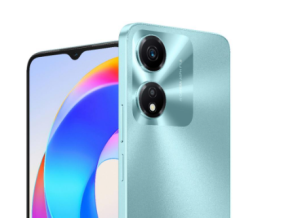
When your smartphone storage consistently feels insufficient, upgrading to a device with expandable storage might be the ideal solution. Many Android smartphones feature microSD card slots that allow users to expand their storage. For instance, the HONOR X5 Plus not only comes with a generous 64GB of internal storage but also supports up to 1TB of microSD card expansion, giving you the flexibility to store even more photos, videos, and apps without worrying about space limitations. The HONOR X5 plus also features the HONOR RAM Turbo technology, which improves the device’s overall performance by optimizing memory usage, ensuring that even with large storage, your phone runs smoothly. This makes it a great choice for users who prioritize storage capacity and performance.
Opting for Models with Larger Internal Storage
If expandable storage isn’t an option, consider choosing smartphones with larger internal storage capacities. Today’s devices are available with storage options ranging from 64GB to 512GB or more. While larger storage options tend to cost more upfront, they provide a long-term solution to storage issues, accommodating future needs. For users who plan to store numerous apps, media files, and documents, investing in a phone with larger internal storage is a practical decision that prevents the need for frequent upgrades.
External Storage Solutions
Another option for managing storage is using external storage devices. USB drives with OTG (On-The-Go) compatibility allow users to connect external storage directly to their smartphones. This is a convenient solution for transferring large files, such as videos or work documents, off the device when necessary. External hard drives can also be used for larger backups, offering additional space without consuming your phone’s internal storage. For users who frequently deal with large files, these external solutions can significantly alleviate storage issues.
Conclusion
Managing limited smartphone storage requires a combination of regular maintenance and strategic upgrades. By deleting unnecessary files, clearing cache, and utilizing cloud storage, you can free up space and improve your device’s performance. Furthermore, investing in devices like the HONOR X5 Plus, with expandable storage and optimized performance features, provides long-term solutions to storage limitations. Regular maintenance, such as backups and storage monitoring, ensures that your device runs smoothly, allowing you to enjoy all the functionality and entertainment your smartphone has to offer without worrying about space.
