

For small business owners and entrepreneurs navigating the complexities of daily operations, the integration of AI and automation is not merely advantageous – it’s imperative for sustainable success. Adopting Azure Automation empowers businesses to automate repetitive tasks and streamline workflows with intelligence. This allows for efficient resource utilization in the face of fluctuating demands, ensuring that operations remain agile and responsive.
Moreover, this combination of automation and AI-driven insights enhances overall operational efficiency. By freeing business leaders to concentrate on strategic initiatives such as innovation and customer engagement, enterprises can achieve optimal productivity. Embracing these technologies ultimately positions businesses for long-term growth and a competitive edge in the marketplace. As we delve deeper into these concepts, we will explore how they collectively transform the operational landscape for modern businesses.
Examples of AI Applications
1. Customer Relationship Management (CRM): AI can help manage customer interactions by analyzing data to predict customer behavior and preferences. This enables businesses to tailor their marketing strategies and improve customer satisfaction.
Example: AI-powered chatbots can handle customer inquiries 24/7, providing instant support and freeing up human resources for more complex issues.
2. Inventory Management: AI algorithms can predict inventory needs based on historical data, current trends, and seasonal demand. This ensures that businesses maintain optimal stock levels and reduce waste.
Example: AI-driven supply chain management systems can automatically reorder inventory when levels fall below a certain threshold.
3. Financial Analysis: AI can analyze financial data to identify patterns, detect fraud, and provide insights into spending and revenue trends.
Example: Automated financial reporting tools can generate real-time reports, allowing businesses to make quicker, data-driven decisions.
Azure Integration Tips
Microsoft Azure offers a suite of tools that can help businesses integrate AI and automation into their existing workflows. Here are some tips on how to leverage Azure for maximum efficiency:
1. Utilize Azure Cognitive Services
Azure Cognitive Services offers a robust suite of pre-built AI capabilities, including language understanding, speech recognition, and image analysis. This not only accelerates development time but also empowers businesses to innovate and stay competitive in a rapidly evolving digital landscape.
2. Implement Azure Logic Apps
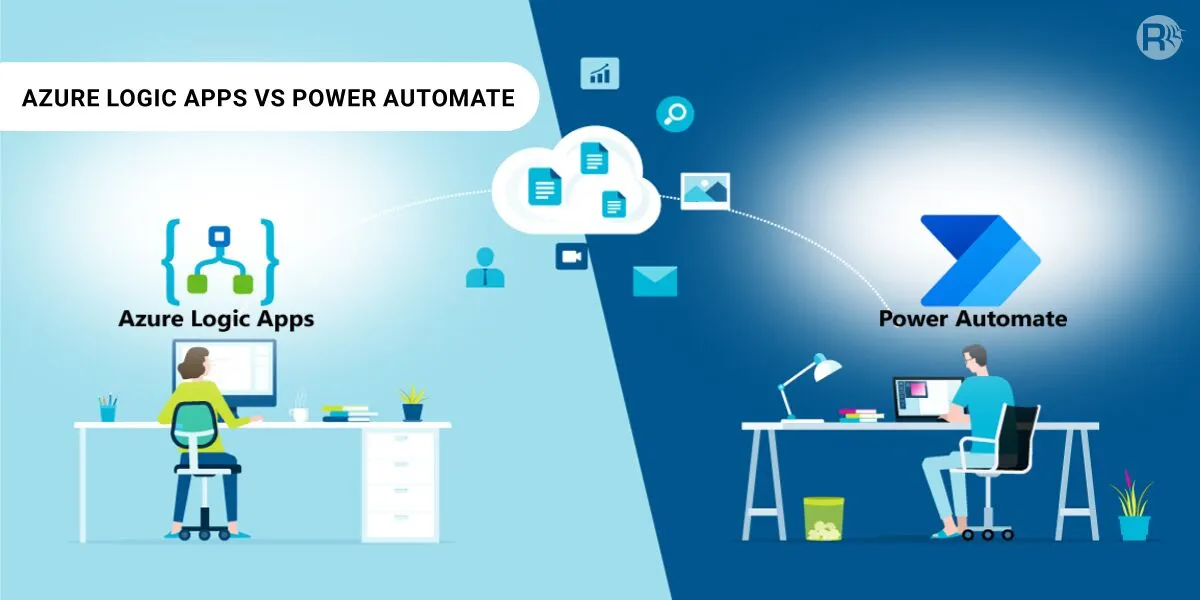
Azure Logic Apps enable users to design automated workflows that seamlessly integrate with a wide range of services, including Office 365, Salesforce, and Dropbox. This automation not only accelerates workflows but also helps in minimizing errors and ensuring consistent data management across platforms. Additionally, with the ability to monitor and analyze these workflows, organizations can continuously optimize their operations, leading to improved decision-making and productivity.
3. Leverage Azure Machine Learning
Azure Machine Learning empowers you to build, train, and deploy machine learning models rapidly and efficiently. With its user-friendly interface and robust capabilities, you can easily predict customer behavior, optimize supply chains, and extract valuable insights from your data. It supports a range of algorithms and frameworks, allowing you to tailor models to your specific needs. Additionally, its integration with Azure services provides scalability and security, ensuring that your applications can handle large datasets and complex workloads.
4. Secure Your Data with Azure Security Center
Azure Security Center not only offers advanced threat protection but also streamlines security management, making it easier to identify vulnerabilities and respond to threats. By leveraging machine learning and analytics, it helps you proactively safeguard your data and applications against evolving cyber threats. Additionally, its centralized dashboard provides a comprehensive view of your security posture, enabling teams to make informed decisions and maintain compliance with industry regulations.
5. Monitor Performance with Azure Monitor
Azure Monitor provides comprehensive monitoring and analytics capabilities for your applications and infrastructure. With built-in alerts and advanced analytics, businesses can swiftly respond to anomalies, optimize resource allocation, and maintain operational continuity.
Workflow Automation for Small Businesses
Workflow automation is about creating a set of instructions for automated tasks that run without human intervention. Here’s how small businesses can benefit from workflow automation:
- Save Time on Administrative Tasks: Automating tasks like scheduling meetings, sending invoices, and tracking expenses can save significant time.
- Improve Accuracy and Reduce Errors: Automation minimizes the risk of human error, ensuring that tasks are completed accurately and consistently.
- Enhance Collaboration: Automated workflows can improve collaboration by ensuring that all team members have access to the same information in real-time.
- Increase Scalability: Automated systems can easily handle increased workloads, allowing your business to scale without requiring additional resources.
- Boost Customer Engagement: Automated workflows can significantly enhance customer engagement by enabling timely responses and personalized interactions.
Final Thoughts and Takeaways
Leveraging AI and automation can transform how small businesses operate, making them more efficient, cost-effective, and agile. By integrating these technologies through platforms like Azure, businesses can streamline their workflows and focus on growth and innovation.
Ready to transform your business with AI and automation? Look for a reputable Microsoft Solutions Partner and discover how you can achieve business efficiency with Azure integration.
