

In training online, there are gains as well as losses due to the process. It doesn’t matter whether you are creating a training program for employees, the content that needs to be explained in the onboarding process, or tutorial videos – all of them should be interesting and efficient.
However, the creation of professional quality learning material in the electronic form can be quite a time and money-consuming process – unless, of course, one has the proper instruments for this purpose. With Vidnoz AI for e-learning, you have access to advanced solutions that help you create impactful content quickly and easily.
Artificial intelligence has played a vital role in the changing perception of the e-learning environment. By leveraging smart online training video tools, you can save time, increase efficiency, and provide consistent quality across your projects.
Here is how you can optimize your training process and produce forceful videos your audience will remember.
Why Online Training Needs the Right Tools
Online learning is only as good as the tools that support it. Without reliable online training video tools, it can quickly become a frustrating experience for both creators and learners. Here’s why efficiency matters in e-learning:
- Time-saving: Simplify complex tasks like video editing or script creation.
- Consistency: Maintain a uniform quality across training videos.
- Scalability: Meet the needs of large or diverse audiences.
- Engagement: Use dynamic visuals and interactive experiences to hold the viewer’s attention.
Using the best tools for online training means you can ensure your team, students, or employees get the knowledge they need without delays or unnecessary confusion.
What Can Vidnoz AI Help?
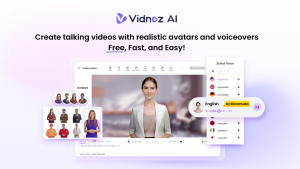
Vidnoz AI is a versatile AI video generation platform, offering a wide range of templates, avatars, and voice cloning options in over 140 languages. Suitable for content creators and business users alike, Vidnoz simplifies video production, saving time and cost.
Let’s take a look at the features of Vidnoz AI:
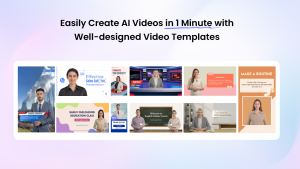
2800+ Templates: Vidnoz AI offers over 2,800 video templates. This vast selection means you can find a template suitable for any project you’re working on, from marketing videos to educational content, as well as social media posts, dialogues, how-to tutorials, breaking news, and more.
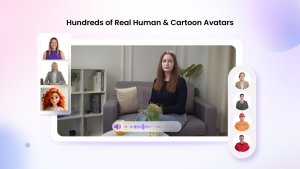
1200+ AI avatars: With over 1,200 realistic AI avatars available for video narration, Vidnoz AI offers a wide range of options, including animated avatars to suit any age group. Additionally, using Avatar Lite, you can create your own digital twins that speak in your tone.
1240+ realistic AI voices: Apply diverse languages, accents, emotions, and speeds. It adds best-in-class Microsoft TTS and ElevenLabs TTS models.
Free to use: Each user can generate up to 3 minutes of video for free, with full commercial usage rights.
How to Create Training Videos with Vidnoz AI
Step 1: Choose a Template
Select from Vidnoz AI’s library of over 2,800 templates, designed for various training video formats such as tutorials, product guides, and onboarding.
Step 2: Write the Script
Write or input the script for your training video. Vidnoz AI can also help generate the script if needed, ensuring it aligns with your content goals.
Step 3: Select AI Avatars
Pick from over 1,200 realistic AI avatars to narrate your training video. You can even create a custom digital twin using Avatar Lite to speak in your tone.
Step 4: Generate and Export
Once your customizations are complete, generate the video. You can share the video on social media, embed it on your website, or share it via email.
Tips for Streamlining Your Training with AI
To make the most out of AI-based online training video tools, keep these tips in mind:
Plan Your Content
Start with a clear outline of what your training will cover. This helps you choose the right templates and avatars.
Use Visualization Wisely
Select graphics and animations that illustrate your ideas effectively without overwhelming learners.
Analyze Audience Feedback
Use learner feedback to refine scripts, adjust pacing, or incorporate additional languages for inclusivity.
Test Your Final Output
Always preview your e-learning content to ensure clarity and correct messaging before publishing.
The Final Say
Training is one of the most effective interventions when it comes to organizational and career development. The application of AI can help you introduce changes that can qualitatively and quantitatively enhance your content. Using tools such as Vidnoz AI, making professional videos is not only possible but also fun.
Whether you’re an educator, trainer, or HR manager, now is the time to harness the full potential of AI training video creators. Create good output that will be relevant and entertaining to the viewers and one that will remain in their minds. But with the help of AI on your side, there might never be a shortage of opportunities for innovation in the sphere of e-learning.
By strategically leveraging Vidnoz AI for e-learning, you’ll have access to some of the best tools for online training, making it easier than ever to create training videos with AI that drive results.
