

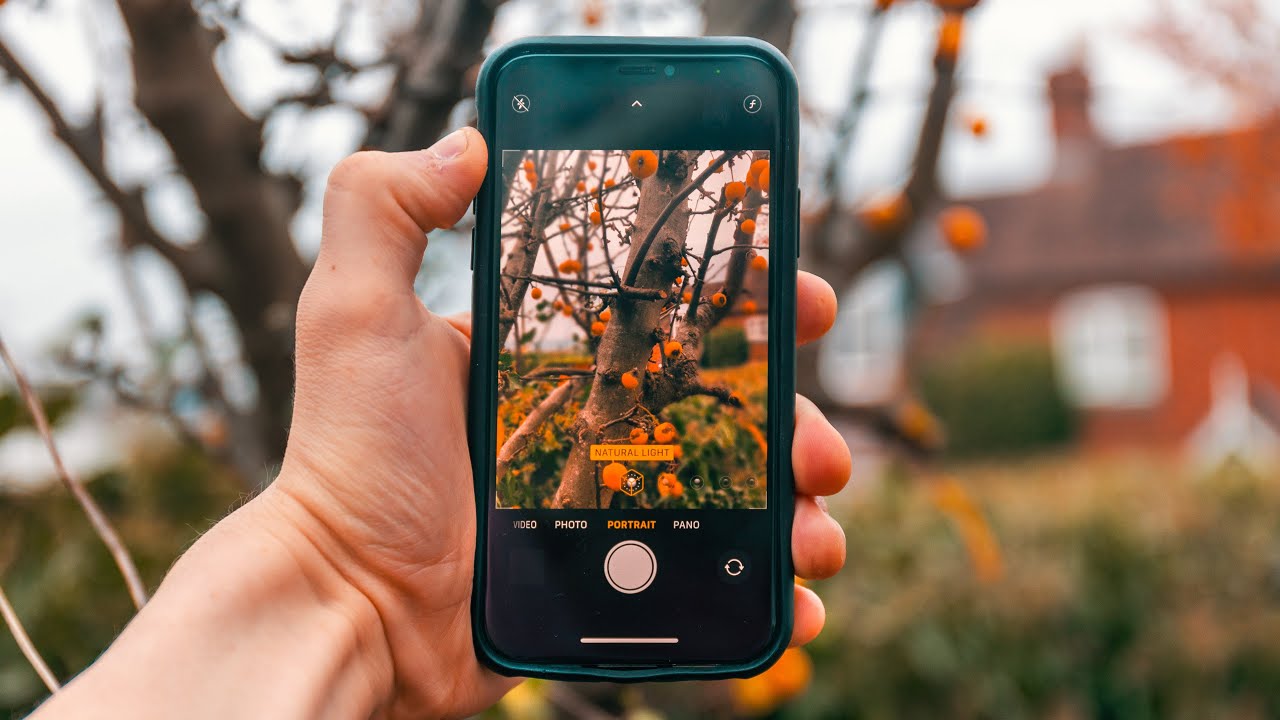
Autumn is one of the most magical seasons for photography, with its vibrant colors, misty mornings, and golden sunlight. You don’t need a high-end DSLR to capture the beauty of fall — your smartphone can do wonders if used correctly. In this guide, we’ll explore key tips and techniques to help you make the most out of your smartphone and create stunning autumn photos.

1. What Settings Should You Use for Autumn Photography?
Before you head out, understanding your smartphone’s camera settings is crucial. While auto mode is convenient, tweaking a few settings can elevate your shots. Here’s what you need to know:
a) Adjusting Exposure
Autumn lighting can be tricky, especially with the strong contrast between sunlight and shadows. Most smartphones allow you to manually adjust exposure by tapping on the screen and sliding a sun icon or exposure slider. Reducing exposure slightly will help maintain details in the bright, sunlit areas and avoid washing out the colors.
b) Focus on HDR Mode
HDR (High Dynamic Range) mode can significantly improve your autumn shots by balancing shadows and highlights, especially when shooting against the sun. It enhances the range of light and color, making the golden hues of fall leaves stand out beautifully.
c) Use the Grid for Composition
The rule of thirds is essential in photography, and many smartphones come with a grid overlay that helps you follow this rule. Place your subject (like a tree or a path) along the lines of the grid for a more balanced and visually appealing composition.
2. How to Make the Most of Natural Light for Stunning Fall Photos?
Lighting can make or break your autumn photography. Here are tips to make the most of the natural light during the fall:
a) Golden Hour Magic
The “golden hour” — the hour just after sunrise or before sunset — is perfect for autumn photography. During this time, the sunlight is soft, warm, and golden, complementing the colors of autumn leaves. Shooting during golden hour will add a dreamy, glowing effect to your images.
b) Backlighting for a Silhouette Effect
Take advantage of backlighting by shooting directly into the sun. This technique can create a dramatic silhouette of leaves, trees, or any foreground subject while capturing the glowing light behind them. Use a slight exposure reduction to prevent overexposure and ensure the silhouettes pop. With smartphones like the HONOR X7b boasting impressive camera capabilities, including a triple rear camera setup featuring a 1.08-megapixel primary camera, a 5-megapixel ultra-wide-angle camera, and a 2-megapixel depth camera, you can capture stunning leaves details with remarkable clarity. Don’t be afraid to get down on the ground or use props to create compelling compositions that draw the viewer’s eye.
c) Overcast Days
Don’t shy away from cloudy days. The diffused lighting from an overcast sky can make the colors of the leaves appear more vibrant, and the soft shadows are perfect for portrait photography in autumn settings.
3. What Are the Best Composition Techniques for Autumn Photography?
Autumn offers a wide variety of elements to experiment with in your photography. Here are a few tips to create dynamic compositions:
a) Frame Your Subject
Use natural elements such as branches, leaves, or even fog to frame your main subject. This technique not only adds depth to your photos but also draws attention directly to the subject, whether it’s a person, a path, or a specific tree.
b) Include Reflections
Autumn brings rain, and with it, puddles. Look for reflections of colorful trees in these water bodies to add a creative twist to your shots. Even small puddles can offer a mirror-like effect that makes your composition more engaging.
c) Capture Leading Lines
Leading lines, like pathways, rivers, or fallen leaves, guide the viewer’s eyes through your photo. In autumn, fallen leaves or winding paths can add an extra element of interest to your images. Try placing these lines diagonally or horizontally for a sense of direction and movement in your shots.
4. How to Use Smartphone Editing Apps to Enhance Your Autumn Photos?
Editing is the final touch to make your autumn photos pop. While smartphone cameras are powerful, apps can give your photos that extra boost. Here’s how:
a) Adjust Brightness and Contrast
Many autumn photos can benefit from a slight increase in contrast to enhance the warm tones of the leaves. If your photo looks a bit dull, slightly boost the brightness as well, but be cautious not to overdo it.
b) Play with Saturation
Autumn colors are naturally vibrant, but a small saturation adjustment can make the yellows, oranges, and reds even more vivid. Apps like Lightroom or Snapseed offer easy-to-use saturation sliders.
c) Apply Filters for a Moodier Vibe
Filters can change the mood of your photo. For autumn, look for filters that enhance warmth, add a vintage touch, or amplify shadows. Be sure to experiment but keep the edits subtle to avoid an overly artificial look.
Conclusion: Embrace the Beauty of Autumn with Your Smartphone
Mastering autumn photography doesn’t require expensive equipment. By understanding your smartphone’s settings, utilizing natural light, perfecting your compositions, and enhancing your photos with editing apps, you can capture the full beauty of fall. Whether it’s vibrant leaves, misty mornings, or golden sunsets, autumn offers endless opportunities to create breathtaking images with just your smartphone. Go out, explore the season, and enjoy capturing those magical autumn moments!
